The Best WhatsApp Appointment CRM: Automate Scheduling in Chat
Looking for a WhatsApp Appointment CRM that actually fits how customers book today? ANT CRM lets customers pick a date and time right inside the chat based on your real-time availability, send reminders with Accept and Decline buttons, and keep calendars updated automatically — no external booking links required.
What Is WhatsApp Appointment Booking?
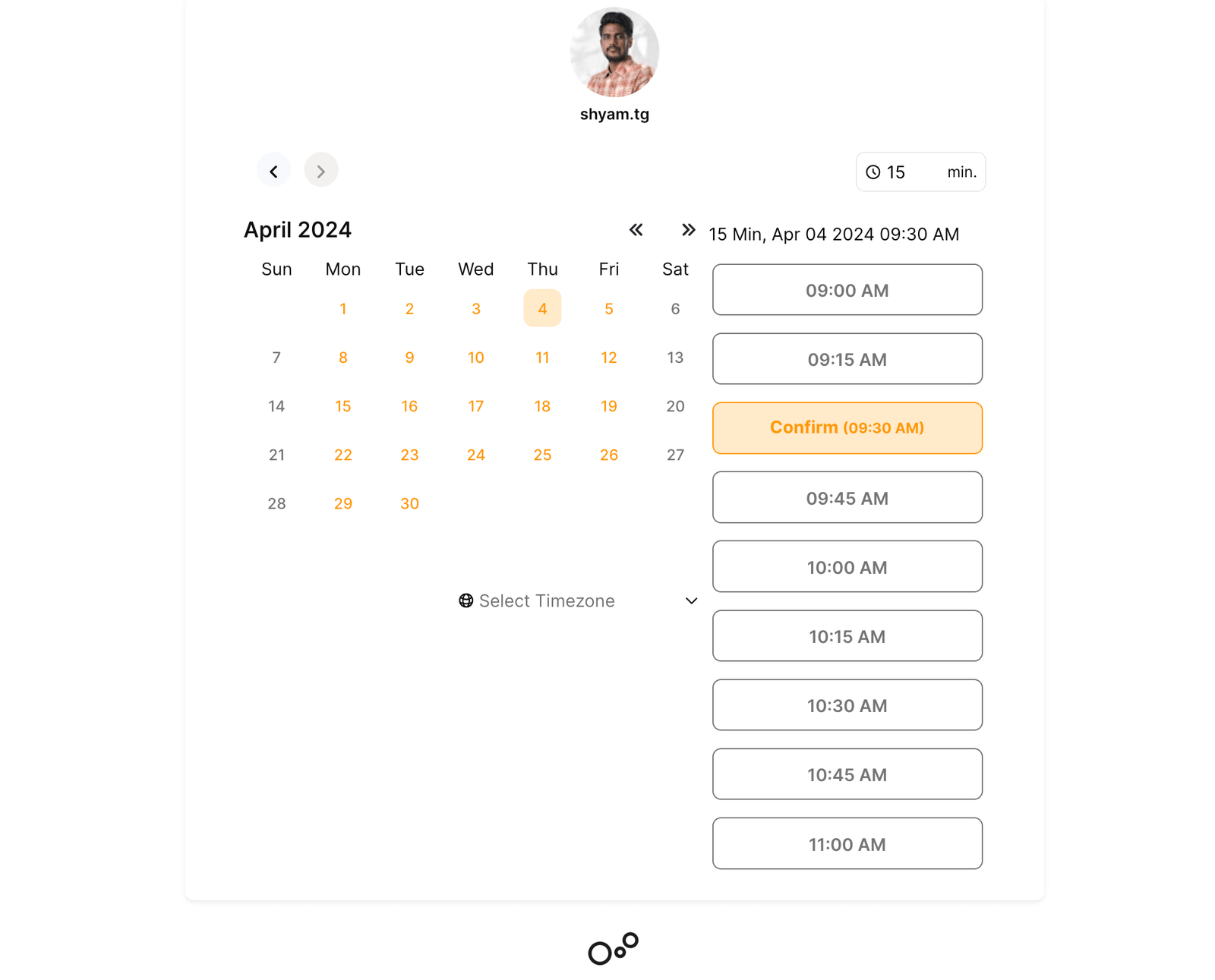
WhatsApp appointment booking lets customers inquire about your services and schedule a time slot without leaving the chat. Instead of sending a link to an external page, ANT CRM guides customers through an in-chat flow to pick a date and time from your real-time availability, then confirms the appointment and sends automated reminders — all within WhatsApp.
ANT CRM combines a full WhatsApp CRM with appointment scheduling so your team manages conversations and calendars in one platform.
How WhatsApp Appointment Booking Works with ANT CRM
Setting up WhatsApp appointment booking with ANT CRM is straightforward:
- Connect WhatsApp — Link your WhatsApp Business number through Meta's Cloud API. Follow our integration guide.
- Configure your calendar — Set your availability, appointment types, and team members in the booking module.
- Book inside WhatsApp — When a customer asks to schedule, they follow a guided flow in the chat to select a date and time from your live availability — no booking link needed.
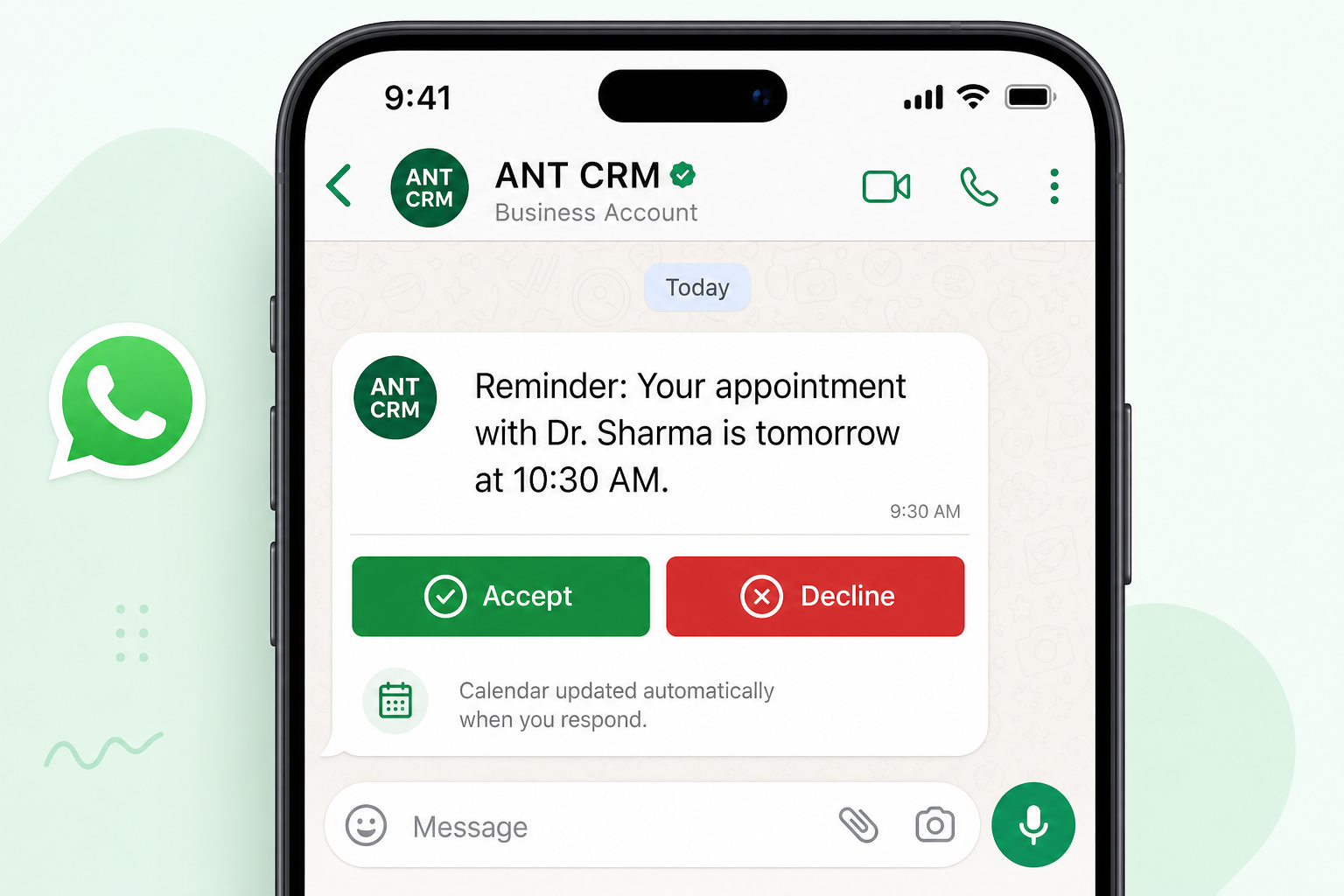
- Send automated reminders — Before each appointment, ANT CRM sends a WhatsApp reminder with Accept and Decline buttons so customers can confirm or cancel in one tap.
- Manage everything in CRM — The appointment is linked to the customer's profile with full chat history, notes, and follow-up tasks.
Appointment Reminders with Accept & Decline Buttons to Reduce No-Shows
No-shows cost businesses time and revenue. ANT CRM sends automated WhatsApp appointment reminders before every booking so customers never forget — and gives them a simple way to confirm or cancel without typing a message. One-tap responses help you cut no-shows before they happen.
Each reminder includes two action buttons right inside the WhatsApp chat to prevent no-shows and keep your calendar accurate:
- Accept — The customer confirms they will attend, which lowers your no-show risk. Their response is recorded instantly in ANT CRM and your team is notified.
- Decline — The customer cancels or cannot make it, so the slot opens up instead of becoming a no-show. The appointment status updates automatically and your team can follow up or offer a new slot.
No phone calls, no email threads, no manual tracking. Customers tap a button, you know exactly who is coming, and your no-show rate drops.
Automatic Calendar Updates
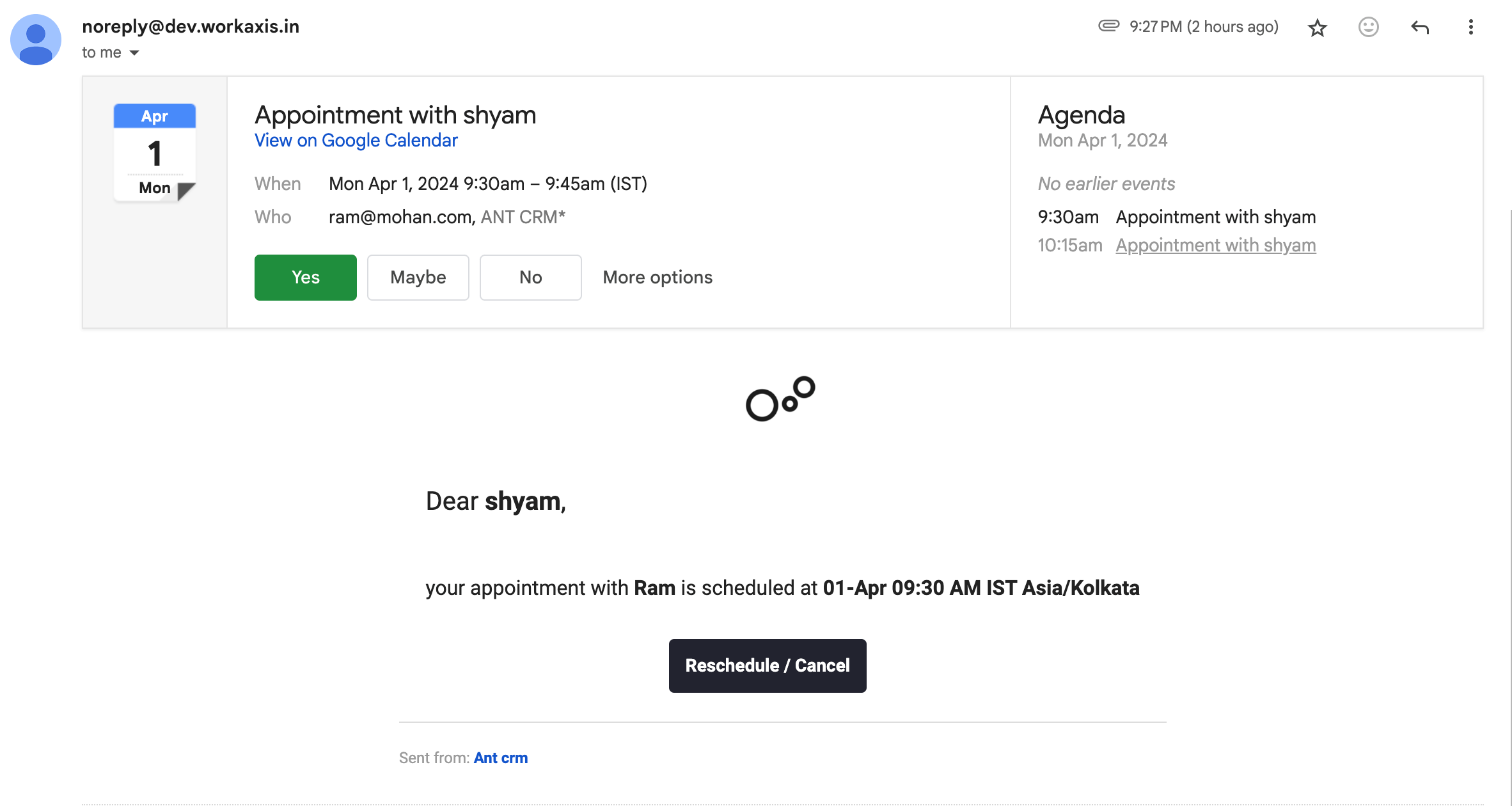
When a customer taps Accept or Decline, ANT CRM updates the appointment status across your entire system in real time:
- CRM calendar — The appointment is marked as confirmed or cancelled in your ANT CRM booking calendar
- Team visibility — Assigned staff members see the updated status immediately — no need to check WhatsApp manually
- Customer calendar — Confirmation emails include calendar invites so customers can add the appointment to Google Calendar or Outlook
- Reschedule flow — If a customer declines, they can pick a new date and time through the same in-chat booking flow
Your calendar always reflects the latest status, so double-bookings and confusion are eliminated.
How to Choose the Best WhatsApp Appointment CRM for Your Business
Not every WhatsApp CRM handles scheduling equally well. When comparing tools, evaluate these factors — and see how ANT CRM stacks up:
- Calendar sync — Does the CRM update Google Calendar, Outlook, and your team calendar in real time when customers confirm or cancel? ANT CRM syncs status instantly when Accept or Decline is tapped.
- In-chat booking — Can customers pick a slot without leaving WhatsApp? External booking links add friction; ANT CRM guides customers through scheduling entirely in the chat.
- Team visibility — Can multiple staff members see availability and assigned appointments? ANT CRM gives your whole team a shared view of confirmed, pending, and cancelled bookings.
- Reminder automation — Does the tool send proactive reminders with one-tap confirmation? ANT CRM's Accept and Decline buttons cut no-shows without manual follow-up calls.
- CRM integration — Is each appointment linked to chat history, notes, and follow-ups? ANT CRM connects every booking to the customer profile in one workspace.
Benefits of Booking Appointments on WhatsApp
- Higher conversion rates — Customers are more likely to book when they do not have to leave WhatsApp
- Faster response times — Answer questions and let customers book a slot in real time during the conversation
- Reduced no-shows — WhatsApp reminders with Accept and Decline buttons keep appointments confirmed
- Better customer experience — One channel for inquiries, booking, confirmations, and follow-ups
- Full conversation context — Your team sees the entire chat history alongside the scheduled appointment
- Self-service rescheduling — Clients can decline and rebook without calling your office
Industries Using WhatsApp Appointment Booking
WhatsApp appointment booking works especially well for businesses where customers already reach out via chat:
- Clinics & healthcare — Patients book consultations and confirm attendance via WhatsApp reminders
- Salons & spas — Clients browse services in chat and confirm their slot with one tap
- Fitness & coaching — Trainers schedule sessions and get instant Accept/Decline responses
- Consultants & advisors — Prospects book discovery calls directly from a WhatsApp conversation
- Home services — Customers describe their issue on WhatsApp and book a visit in the same thread
- Education & tutoring — Parents inquire about courses and schedule trial classes on WhatsApp
Why It Matters: WhatsApp Appointment CRM vs. Traditional Scheduling
Phone calls and web forms still work, but they add friction. Customers on WhatsApp expect instant replies — and if you ask them to visit a separate website or call during business hours, many will simply not follow through. Here is how a WhatsApp Appointment CRM compares to manual scheduling:
Factor
Customer effort
No-show rate
Admin time per booking
Calendar accuracy
Follow-up context
Manual scheduling
Call during business hours or fill out a web form
Higher — easy to forget without reminders
5–10 minutes of calls and manual data entry
Spreadsheets and separate tools often fall out of sync
Chat history disconnected from the booking record
WhatsApp CRM scheduling
Pick a slot in the chat they already use
Lower — Accept/Decline reminders confirm attendance
Seconds — automated confirmation and calendar update
Real-time sync when customers respond in chat
Full conversation history linked to each appointment
With ANT CRM's WhatsApp Appointment CRM, the entire journey happens in one conversation: inquiry, booking, reminder, Accept/Decline confirmation, calendar update, and follow-up. Your team saves hours of admin work, and customers get the seamless experience they expect.
Case Study: How a Sales Team Cut Demo Call No-Shows by 40% in 30 Days
A B2B sales team using ANT CRM replaced manual demo scheduling with WhatsApp Appointment CRM automation. Prospects now book demo calls in chat, and sales reps know who is showing up before every call. Here is what changed:
Before
- Sales reps sent Calendly links over WhatsApp — many prospects never completed booking
- Reps spent hours chasing confirmations before demo calls
- WhatsApp conversations and the demo calendar lived in separate tools
- Demo call no-shows averaged roughly 1 in 5 booked meetings
After
- Prospects booked demo calls in-chat without leaving WhatsApp
- Automated Accept and Decline reminders replaced manual follow-up messages
- Each demo call linked to the full WhatsApp conversation and lead record in ANT CRM
- Demo call no-shows dropped by 40% within the first month
"The Accept and Decline buttons changed everything for us. We know exactly who is coming before the demo call, and our no-show rate dropped significantly." — Sales rep using ANT CRM
Combine with WhatsApp Automation
Take it further with automated WhatsApp responses. Set up a chatbot that answers common questions and triggers the in-chat booking flow automatically when someone asks about scheduling. Read our guide on how to automate WhatsApp responses.
WhatsApp Appointment CRM: Frequently Asked Questions
Can I sync my Google Calendar with a WhatsApp CRM?
Yes. ANT CRM updates your CRM calendar when appointments are booked or confirmed, and sends confirmation emails with calendar invites so customers can add the event to Google Calendar or Outlook. When a customer taps Accept or Decline on a WhatsApp reminder, the status syncs across your team automatically.
How does an in-chat appointment booking work?
When a customer asks to schedule, they follow a guided flow inside WhatsApp to pick a date and time from your live availability. There is no external booking link — the appointment is confirmed in chat, saved to the customer's CRM profile, and followed by automated reminders.
Do customers need to install an app to book appointments?
No. Customers book entirely within WhatsApp. There is no separate app, account signup, or website to visit — they select a slot and confirm without leaving the conversation.
What makes the best WhatsApp Appointment CRM?
The best WhatsApp Appointment CRM combines real-time calendar sync, in-chat booking without external links, automated Accept/Decline reminders, team visibility, and full CRM integration. ANT CRM brings all of these together so your team manages conversations and appointments in one platform.
Start Booking Appointments on WhatsApp Today
ANT CRM gives you WhatsApp messaging, appointment scheduling, reminder confirmations, and client management in one affordable platform. Connect your WhatsApp number, set up your calendar, and start turning chats into confirmed appointments.
Start your free trial or explore the full booking feature and WhatsApp CRM capabilities to see everything ANT CRM offers.